
In recent years I have gradually developed a habit of reading ebooks, and I have collected many ebook resource sites.
A long time ago I had an idea: if these scattered sites could be gathered into one platform, it would be much easier for people who need them.
But the reality is that I am not from a technical background and I knew almost nothing about building websites. Even though I looked up tutorials and solutions, there was still a barrier for me, so I shelved the idea for years.
Until recently, the progress of AI reignited the idea.
AI lets ordinary people “write code”#
Over the past two years, AI has been evolving at a leap.
Now we can use natural language to let AI generate, modify, and optimize code. In the industry this is called vibe coding: people provide the intent and direction, and AI handles the implementation.
This not only greatly improves developer efficiency, it also gives non-technical people like me a chance to turn ideas into real products.
Before this, I had already used AI to add pages to the official site of an open-source project and experienced what “zero-basics development” feels like. This time I decided to go further and build a site from scratch with AI.
Why Codex?#
There are more and more AI coding tools on the market, such as Claude Code and OpenCode.
In the end I chose Codex from OpenAI.
Simply put, Codex is an AI programming assistant, like a “24/7 developer partner” you can talk to.
It can help you:
- Generate website code
- Adjust page styles
- Fix bugs
- Deploy the site
- Analyze project structure
And the whole process is basically done through conversation.
Website: https://openai.com/index/introducing-codex/
Preparation: installation and setup#
Codex can be installed in many ways, and the official site covers them.
I prefer a chat-first workflow, so I installed the official desktop app and did not bother with the command line.
Using Codex has a cost:
- Buy a ChatGPT subscription
- Or use an OpenAI API key
For cost performance, I chose the API key route and bought a one-month package on Xianyu to test. Sellers usually provide detailed instructions, so you can configure it by following the steps.
Reminder: third-party channels carry risk. For important projects, use official channels.
Building a site from one sentence#
After the preparation, I could officially start “writing” the website.
My first sentence was roughly:
I want to build an ebook resource directory, with categories and cards that link out.
Then I added:
- The page structure I wanted
- Reference sites
- Style preferences
Codex quickly generated a local webpage that I could preview in the browser.
Next came iterative conversation-based tuning:
- Change this area to a card layout
- Make the categories clearer
- Increase the font size
- Add a search box to the home page
The whole process felt like collaborating with a real developer.
The site structure I built is simple. It is essentially a directory navigation site with no complex interactions, so the total development time was under two hours.
Deploy so others can access it#
After writing the code, the site was only accessible on my computer.
To make it public, it had to be deployed to a platform such as:
- GitHub Pages
- Netlify
- Vercel
Because I had already used GitHub Pages for my blog, I chose it again.
If you are not familiar with deployment, you can ask Codex to handle it. After authorization, it can complete the commit and publish steps for you.
Buy a domain to make it more “official”#
After deployment, the site was accessible, but the default URL was long and hard to remember, which is not good for SEO.
So I bought a custom domain and set up DNS and CDN acceleration.
I bought the domain on Alibaba Cloud. It costs only a few dozen yuan per year.
At that point, the site was fully live.
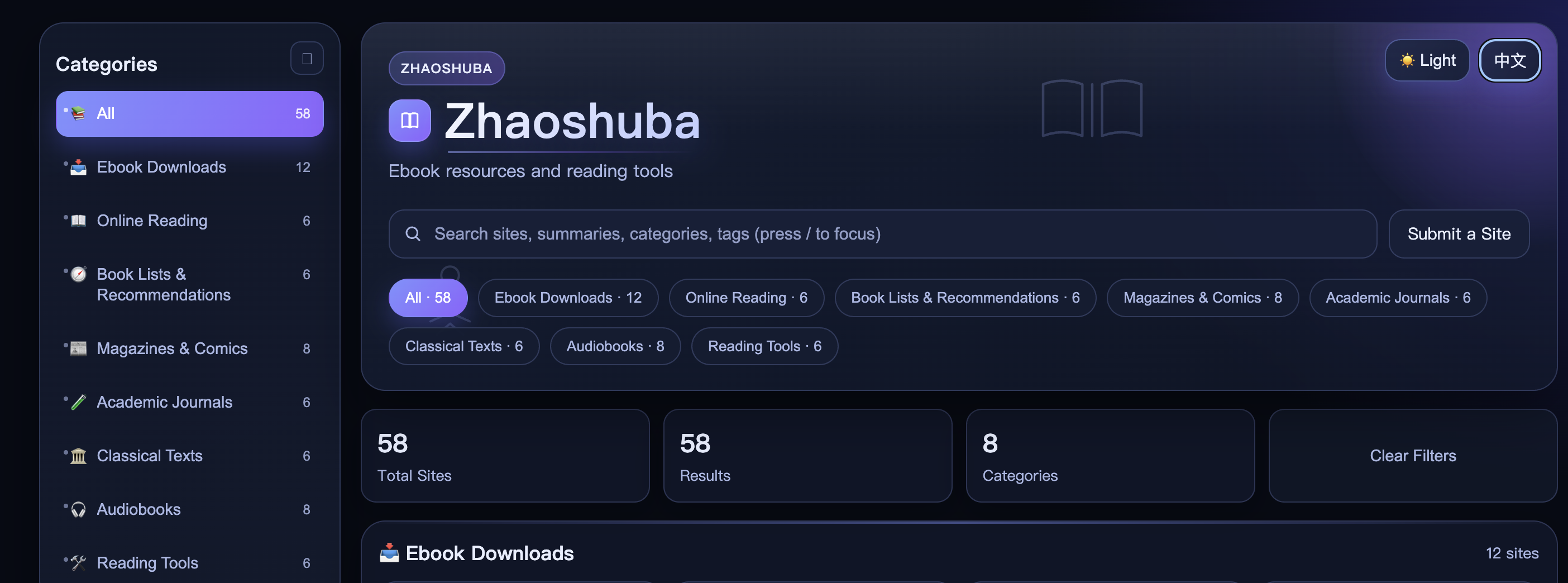
Live site: zhaoshuba.top
A few lessons from the process#
Based on this experience, here are a few takeaways:
1. Third-party APIs have risk#
The Xianyu option is cheap, but stability is not great. Be careful for important projects.
2. Ask AI when you do not know#
When you run into problems, just ask Codex. It solves most of them.
3. Clearer prompts lead to better results#
The more specific your requirements are, the closer the AI output is to your expectations.
Closing#
I used to think that building websites and writing code were “exclusive skills” for technical people.
But now, AI has flattened that barrier.
With Codex, I not only finished this ebook directory site, I also refactored the style of my old blog along the way.
Many tasks that used to take days or weeks can now be done in a few hours.
For ordinary people, this may be one of the most important dividends of our time.
Thanks to AI, an idea finally became real.